
SpaceTraders again, Grafana, MikroORM
spacetraders again v2.0
Three years after my first attempt at building against the SpaceTraders API I’ve returned for another go, starting from the ground up. Where the last one was browser-based and mostly UI, for this approach I’ll be focussing on automation that is mostly server-based.
The stack so far is a node/typescript commander application with bullmq for job queueing, influxdb for time series persistence and grafana for visualisation. A winston and seq combo will handle logging concerns. redis is in there too, but only because bullmq needs it. All of this is shipped via containers so I can pull the result into my ubuntu server where it’ll run 24/7.
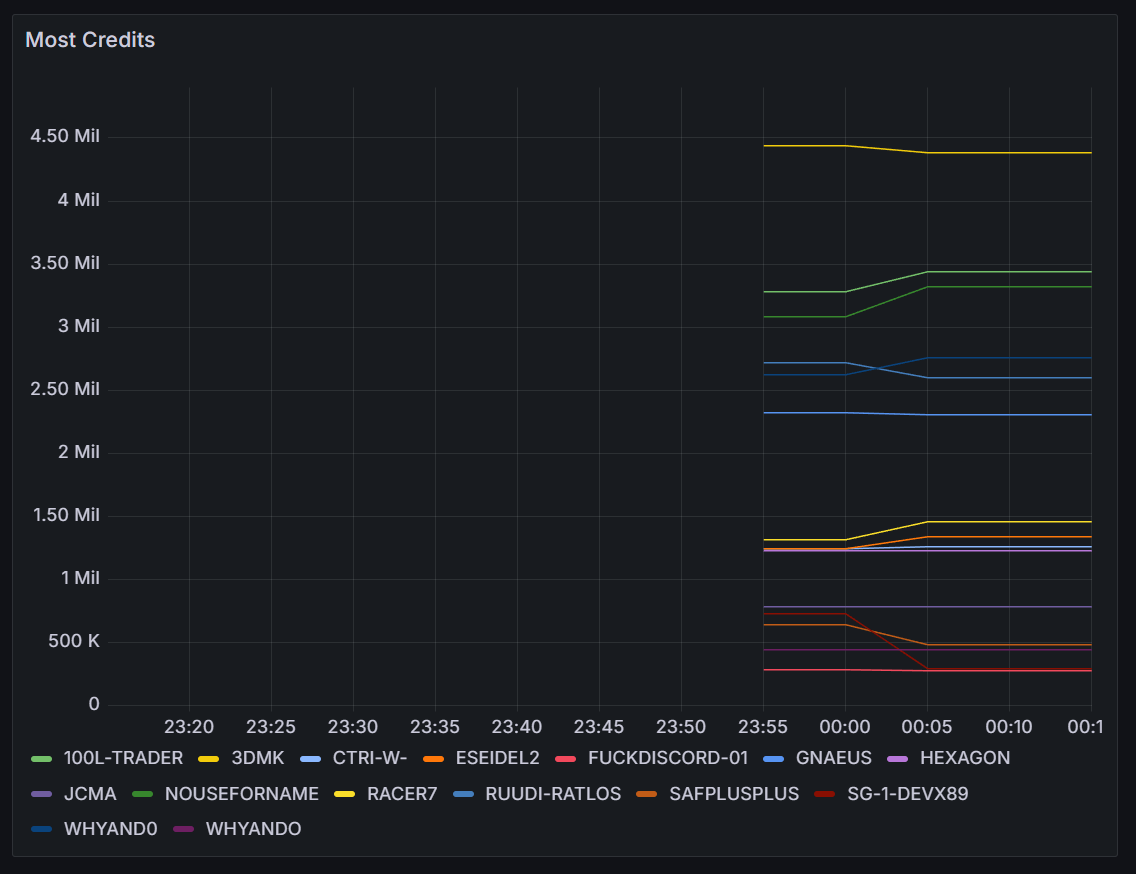
I’m calling a single SpaceTraders API endpoint so far and persisting the leaderboard to the timeseries database.
Similar to the last one, this one is also open source, and I blogged about getting started here.
grafana dashboarding v2.1
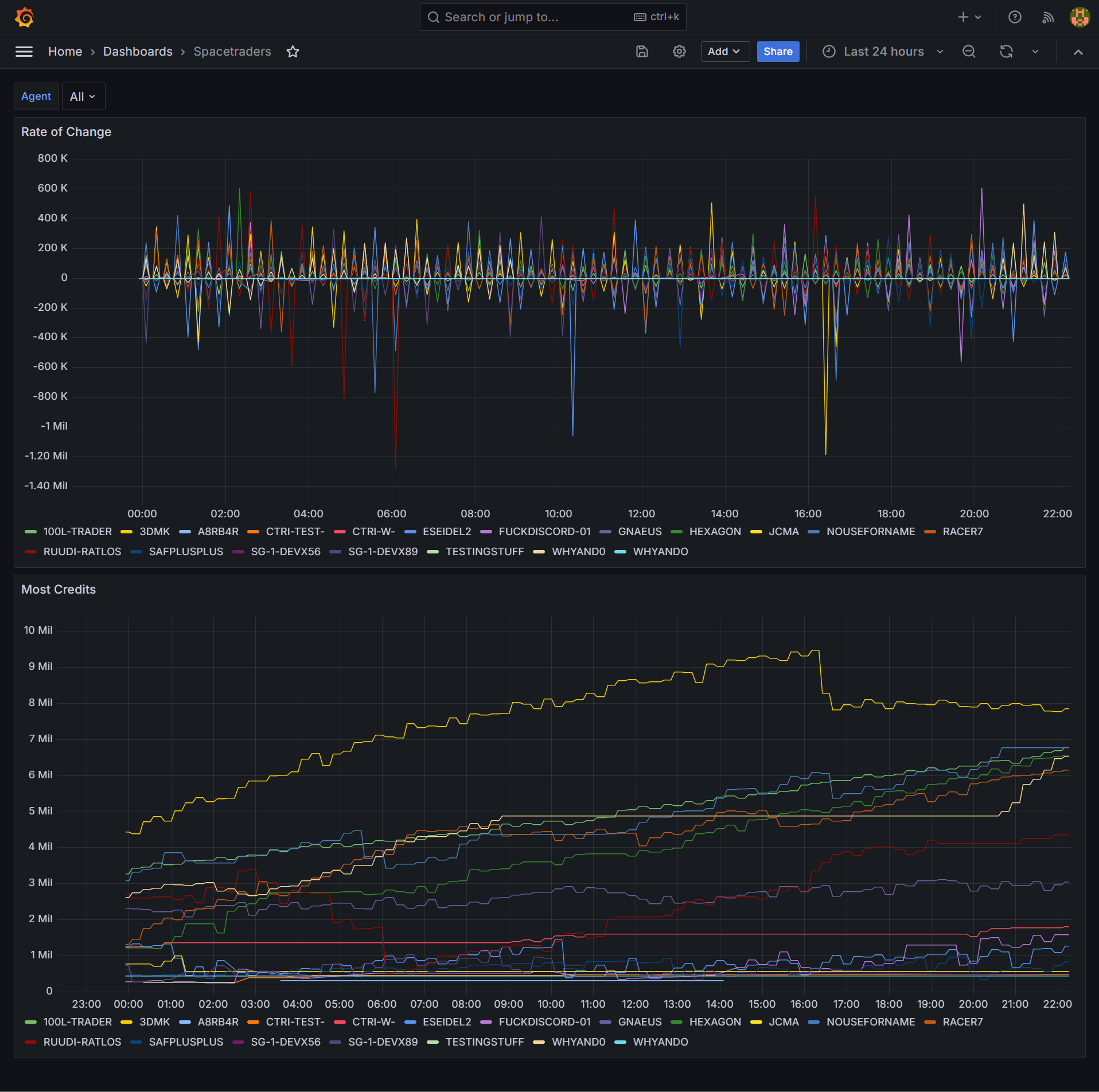
With close to 24 hours of leaderboard data I can improve my Grafana dashboard.
By default the tags in an influxdb query like SELECT "credits" FROM "most-credits" WHERE $timeFilter GROUP BY "agent"::tag results in the legend displaying the tag names like this: most-credits.credits { agent: 100L-TRADER }. This redundant information can be removed in the dashboard by going to Edit Panel > Transform data and adding a Rename fields by regex transformation. I used .*agent: (.*) } as the regex.
I wanted a visualisation that would display the rate of change of credits over time, and influxdb’s DERIVATIVE function can perform this.
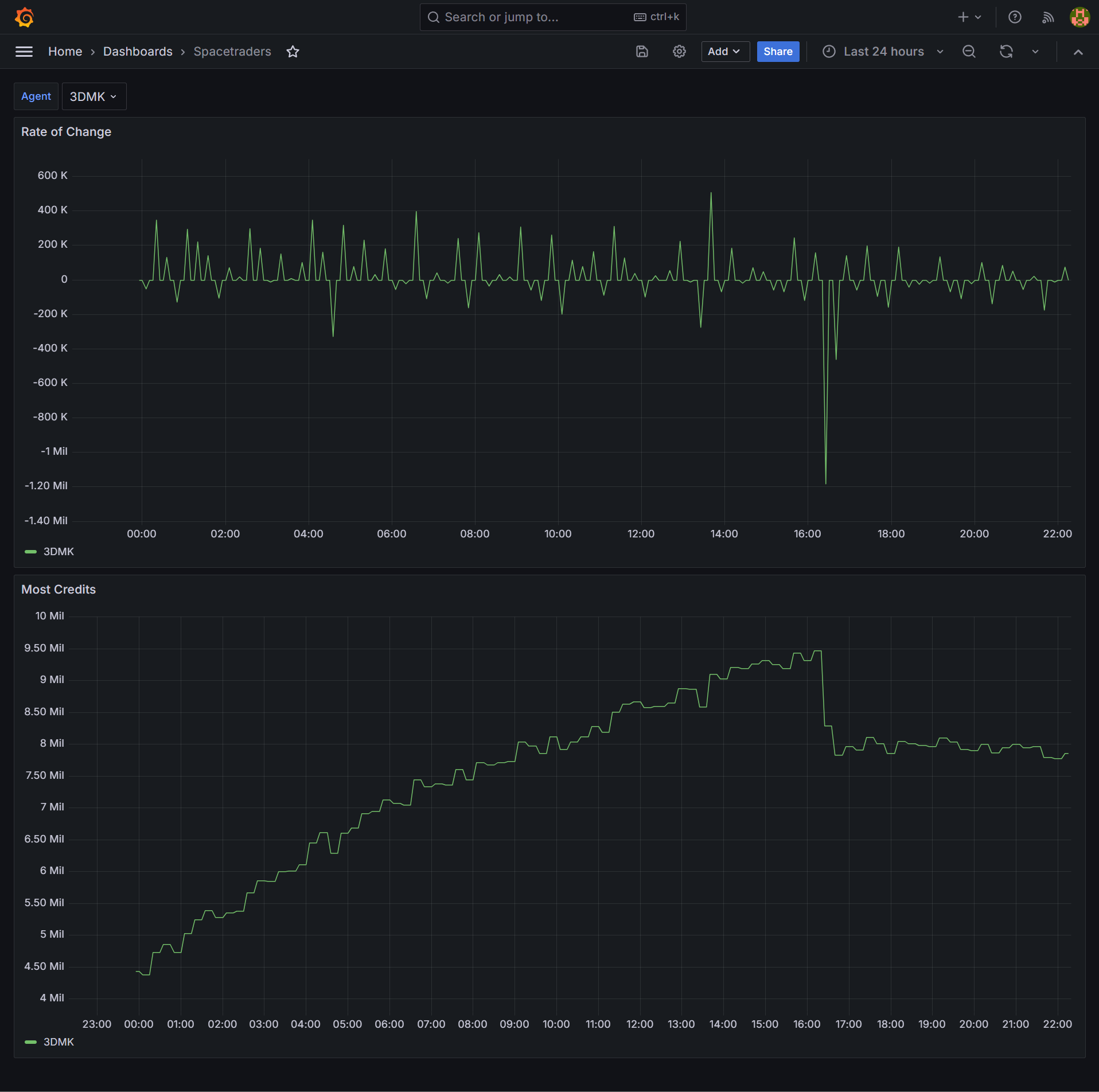
Finally, adding a Dashboard variable allows filtering all panels in the dashboard by the selected variable. Under Dashboard settings > Variables I added a variable agent with the query show tag values from "most-credits" with key="agent". Each panel’s query then can be updated to include a WHERE ("agent"::tag =~ /^$agent$/) clause.
maintenance items v2.2
I was hoping to hit some new endpoints and try out MikroORM tonight but instead some fairly boring quality-of-life improvements took up my time.
- I added a job queuing feature that will remove existing queues if they don’t match the pattern currently configured. This allows me to change queue scheduling and know the old queues will be cleaned up
- I added authentication to Seq - turns out it will block querying for ten minutes if it thinks multiple users are accessing it
- I added update scripts to pull, rebuild and restart the app docker container
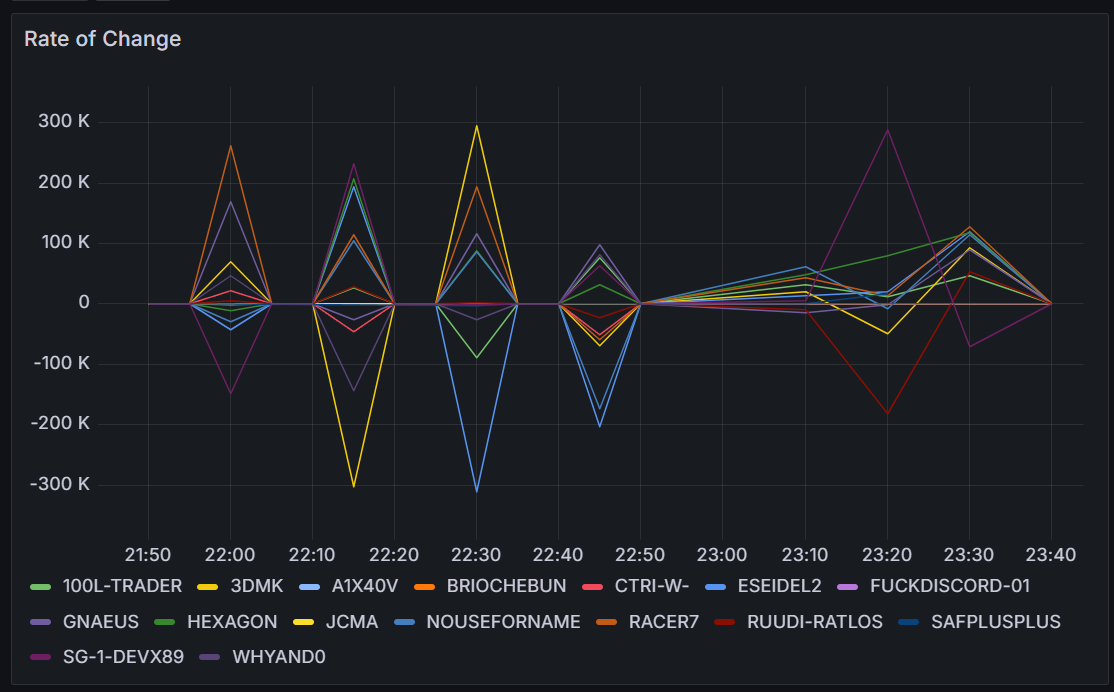
- I increased the leaderboard polling to 10 minutes, this resolves an issue where the rate of change had zero delta every second poll:
initialising mikro orm v2.3
I’ve been on the lookout for a replacement for typeorm for some time and mikro orm looks promising.
The quickstart does not have enough information to get the tool running end-to-end in a typescript environment, so the longer Getting Started - Chapter 1 is required reading too. Even so, there were some additional gotchas that meant a bit of googling, a bit of debugging, and a few hours in total to get the tool running. These commits (one, two) show what was changed to add mikro-orm.
I had to swap out tsx for ts-node, considering mikro (like typeorm) also uses typescript decorators that esbuild does not support. There’s a bunch of package.json/tsconfig.json settings that need to be correct for this to work, and ultimately the only way I could make ts-node happy was by starting the app with node --experimental-specifier-resolution=node --loader ts-node/esm ./src/index.ts. This however does not allow the tool to detect correctly that ts-node is in use (source) at dev time, and confusingly it will return a No entities found error as it’s actually looking in dist for the entities and not src. Explicitly setting { tsNode: true } in config solves for this though finding this solution required debugging into the library and before fixing it my app was silently exiting without any error message.
The tool has a CLI and one of it’s features, which, once installed is executed via npx mikro-orm, however, in the case of typescript it must be executed via npx mikro-orm-esm. One of the nice features of the CLI is that it confirms your configuration. Although a working configuration at CLI time can still stuffer from the No entities found error at runtime without the fix above.
$ npx mikro-orm-esm debug
Current MikroORM CLI configuration
 - dependencies:
   - mikro-orm 6.1.9
   - node 20.10.0
   - knex 3.1.0
   - pg 8.11.3
   - typescript 5.4.2
 - package.json found
 - ts-node enabled
 - searched config paths:
   - /home/stafford/git/spacetraders-again/src/mikro-orm.config.ts (found)
   - /home/stafford/git/spacetraders-again/mikro-orm.config.ts (not found)
   - /home/stafford/git/spacetraders-again/src/mikro-orm.config.js (not found)
   - /home/stafford/git/spacetraders-again/mikro-orm.config.js (not found)
 - configuration found
 - database connection succesful
 - `tsNode` flag explicitly set to true, will use `entitiesTs` array (this value should be set to `false` when running compiled code!)
 - could use `entities` array (contains 0 references and 1 paths)
   - /home/stafford/git/spacetraders-again/dist/**/*.entity.js (not found)
 - will use `entitiesTs` array (contains 0 references and 1 paths)
   - /home/stafford/git/spacetraders-again/src/**/*.entity.ts (found)
There is a heap of documentation and google might be required to find docs specific to a given error message. An example is this monster stackoverflow answer where the author of the tool explains one of the error messages I encountered. There’s almost a little too much to learn, such that the early getting started documentation almost presumes you can make decisions about topics that you haven’t yet learned about, for example the Metadata Providers and ts-morph which is used to infer more schema via type information rather than decorator annotations.
Once the CLI was configured, and the separate migrations library installed and referenced, migrations appeared to Just Work™️. Once runtime was configured, read/write appeared simple enough. With the gotchas out of the way and the setup time spent, I’m looking forward to using the query functionality further as I build out more of my app.