
Steering the Vibe: Worktrees
After failing a number of times to implement worktrees, I got over my frustration and made it happen. The result was a huge productivity multiplier, though not without solving some tricky problems. In this post I’ll share both how I solved the problem of continuously failing, and how I ended up implementing worktrees.
Other posts in Steering the Vibe
- Steering the Vibe: Commits
- Steering the Vibe: Verify
- Steering the Vibe: Refactor
- Steering the Vibe: Address Comments
- Steering the Vibe: Complexity
- Steering the Vibe: Permissions
- Steering the Vibe: Orchestration
- Steering the Vibe: Worktrees (this post)
- Steering the Vibe: Adversarial Review
At the time of writing, my goto for code-assist is Claude Code and Opus 5, so I'll use terminology that relates to these tools, but the concepts within potentially apply to all.
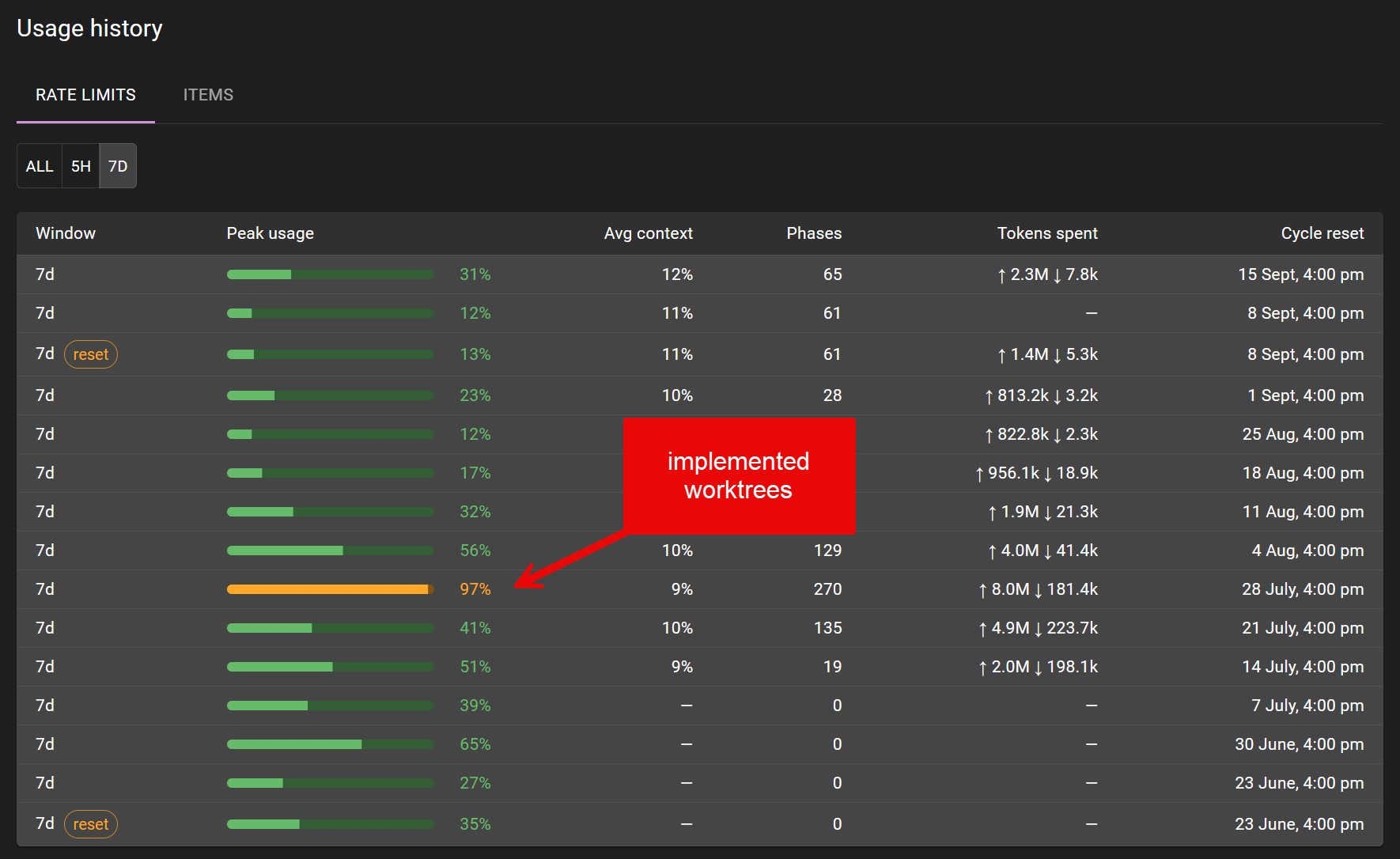
The productivity multiplier of implementing worktrees was immediate.
Parallel expectations
Claude Code offers worktree capability out of the box, but neither its implementation of git-worktree, nor tools like treehouse, met my needs. Specifically, I wanted a parallelization strategy where:
- Concurrent sessions are isolated automatically - I don’t want to name them or make decisions about them
- A session can hold more than one agent - even though #1, I still want to be able to choose to add more agents
- I never want to lose changes - uncommitted or committed, I don’t want to lose my changes if the session ends for any reason
- Configurable - Some repos push straight to
main, some have PRs - I want to be able to choose whether the parallel approach applies to these repos or not
Claude Code’s implementation requires you to name a worktree, and it’s not possible to add more than one agent to a worktree. git-worktree itself enforces a single branch/folder per worktree and does not (by default) allow pushing to the same branch (like main) from multiple worktrees. Discovering these gaps between the worktree implementation and my needs was the cause of my initial failures. To solve the problem, I defined my Parallel work: principles which you might notice intentionally excludes the word “worktree”. From this I was able to have an agent implement a native worktree implementation in assist. For each of the issues I found with the existing worktree implementations, I was able to implement a workaround.
Automatic create and reap
Approaches that require naming worktrees are too slow - I don’t want to stop and think about a name, I want it to be an automatic part of an agent’s session startup. Likewise, once the session is completed, I want the worktree to be automatically reaped. This requires some thought, considering there might be uncommitted changes that I don’t want to lose. If for some reason this logic fails, I want both committed and uncommitted code to be easily recoverable. Configuration in assist controls this functionality, and so setting worktree.enabled on a repo and spawning an agent against a backlog item opens a worktree adjacent to the clone, suffixed with a -{worktree-number}.
When the agent terminates, if assist detects uncommitted changes, it does not progress the session into a successfully completed state, nor can the session be dismissed. Instead, the uncommitted changes are presented with an option to either restart the agent or delete the changes.
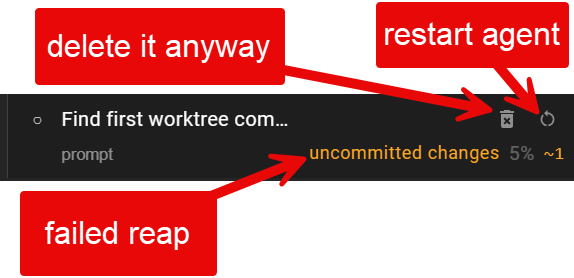
A terminated session with uncommitted changes.
Environment initialization
Creating a worktree is not enough to enable development against it. Environment settings (.env, *.local.*) need to be copied from the clone. In the case of npm, we’ll need to npm i to hydrate node_modules, though pnpm is a faster approach due to its single global store. In the case of web applications, sharing ports across worktrees is also an issue due to collisions. This can be solved either by making port allocation dynamic, or by gating worktrees across a repo to a single running server. assist implements the latter by detecting assist run’s server: true property in the web view. This also causes the web view to be a single pane of glass into agent sessions and arbitrary long running commands.
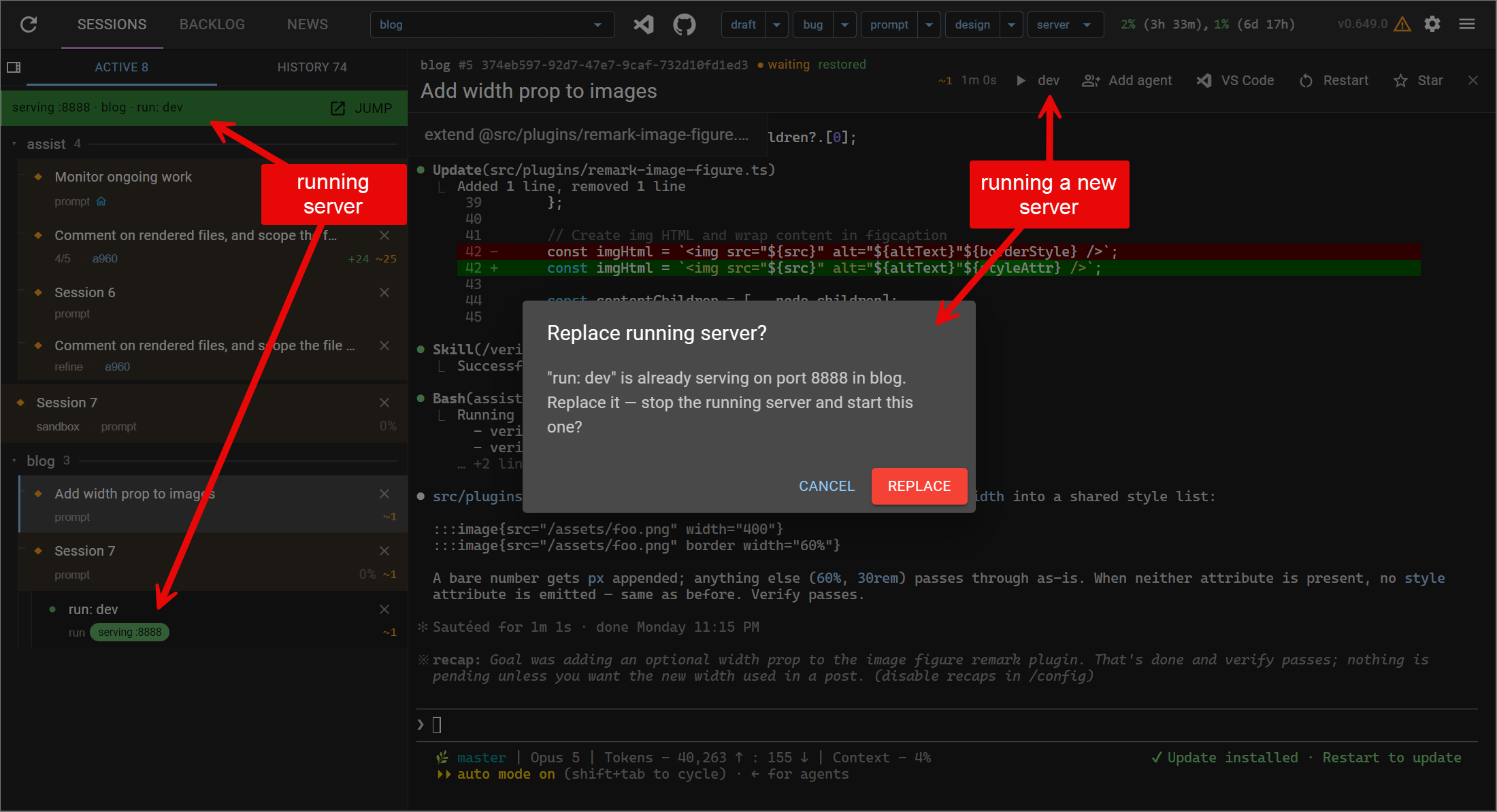
Confirmation dialog when running a new server
Multiple agents
Sometimes I want to start another agent in the same worktree while the main agent is working. I might want it to query uncommitted changes, so it really does need to be opened in the existing agent’s worktree. The PR review and Address Comments functionality uses gh to checkout the relevant branch - running either the Review or Address Comments in a new worktree would fail in the case a worktree for that branch already exists. To solve for this, any agent session can add additional agents directly to the current worktree.

The session toolbar allows adding of more agents to the current worktree
Repo-specific configuration
The shape of a repo and its contents speaks to whether I’ll want to parallelize work across worktrees or not. For assist I use a worktree (targeting main) + watcher approach. For a repo that expects pull requests, I’ll use the “normal” worktree approach. For a client’s Windows-based 6GB repo, I don’t use worktrees at all.
- worktree.enabled - the normal worktree approach, where a branch is created off
main, and this branch will ultimately be pushed to the remote. - worktree.trunk - the created branch is set to track
origin/main, allowing pushes to hit. - worktree.watcher - used in combination with
worktree.trunk- a number of worktrees, all pushing toorigin/main, are pulled by the watcher (generally the clone) and folded into the build as they arrive. I use this approach to haveassistbuild itself across parallel worktrees.
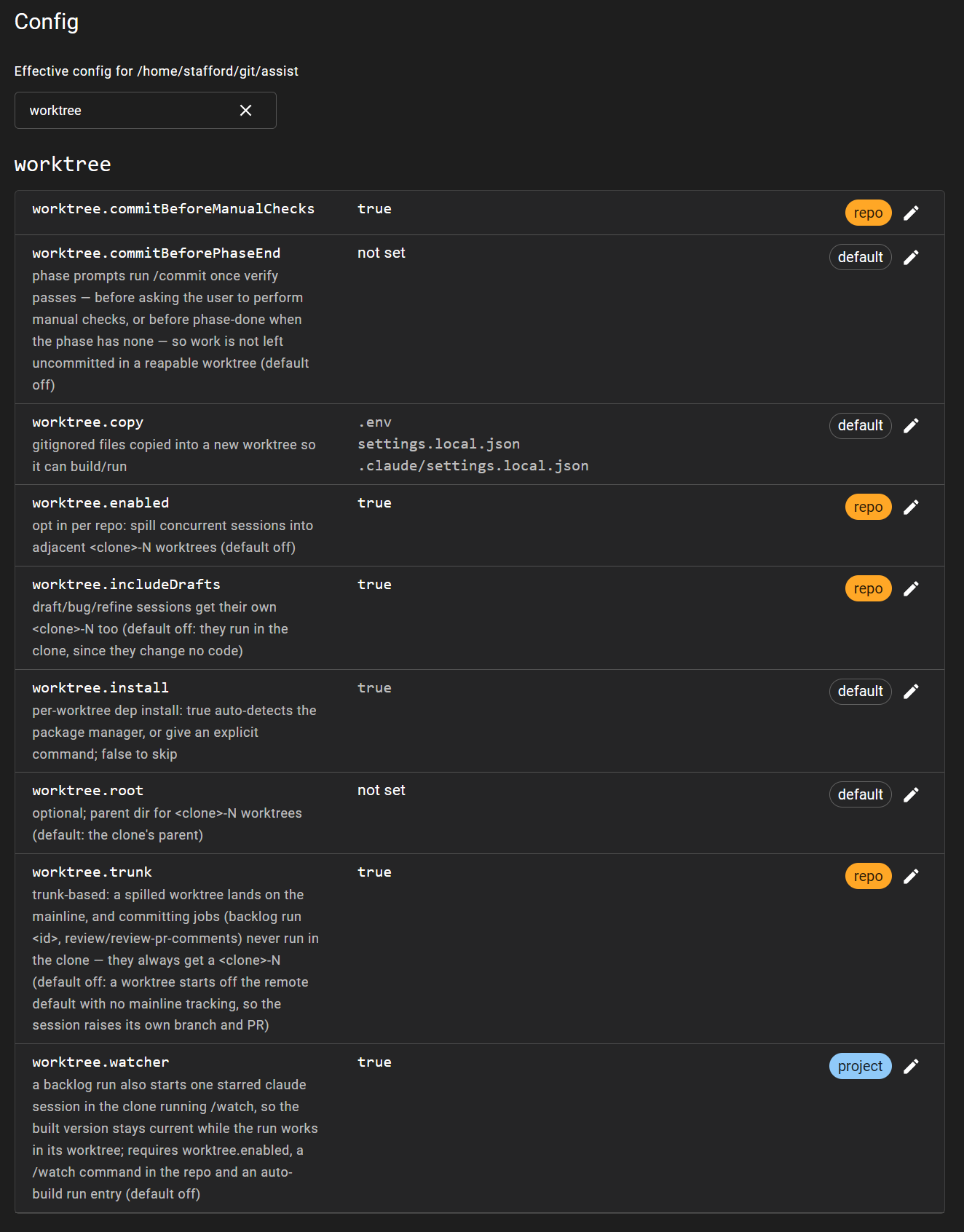
Worktree config items
Productivity multiplier
Parallelizing the work in the manner described above unlocks significant productivity, but it relies heavily on the other approaches noted within this series. Agent and verify loops need to be entirely automated and absent of human intervention. The agent’s backlog needs to have multiple items in it. Should these traits be true, then how fast you can go is limited by only two things:
- System resources - the capability of the machine you run on, specifically disk I/O and CPU will limit how many sessions you can run in parallel. Disk I/O will constrain worktree create, initialize and reap. CPU will constrain verify.
- Defining work - if you can allocate sufficient resources, keeping the backlog full of work that can be delivered becomes the limiting factor. This is the Work Loop, and now you are the bottleneck.
Switch to the backlog, and press start on as many as you like:
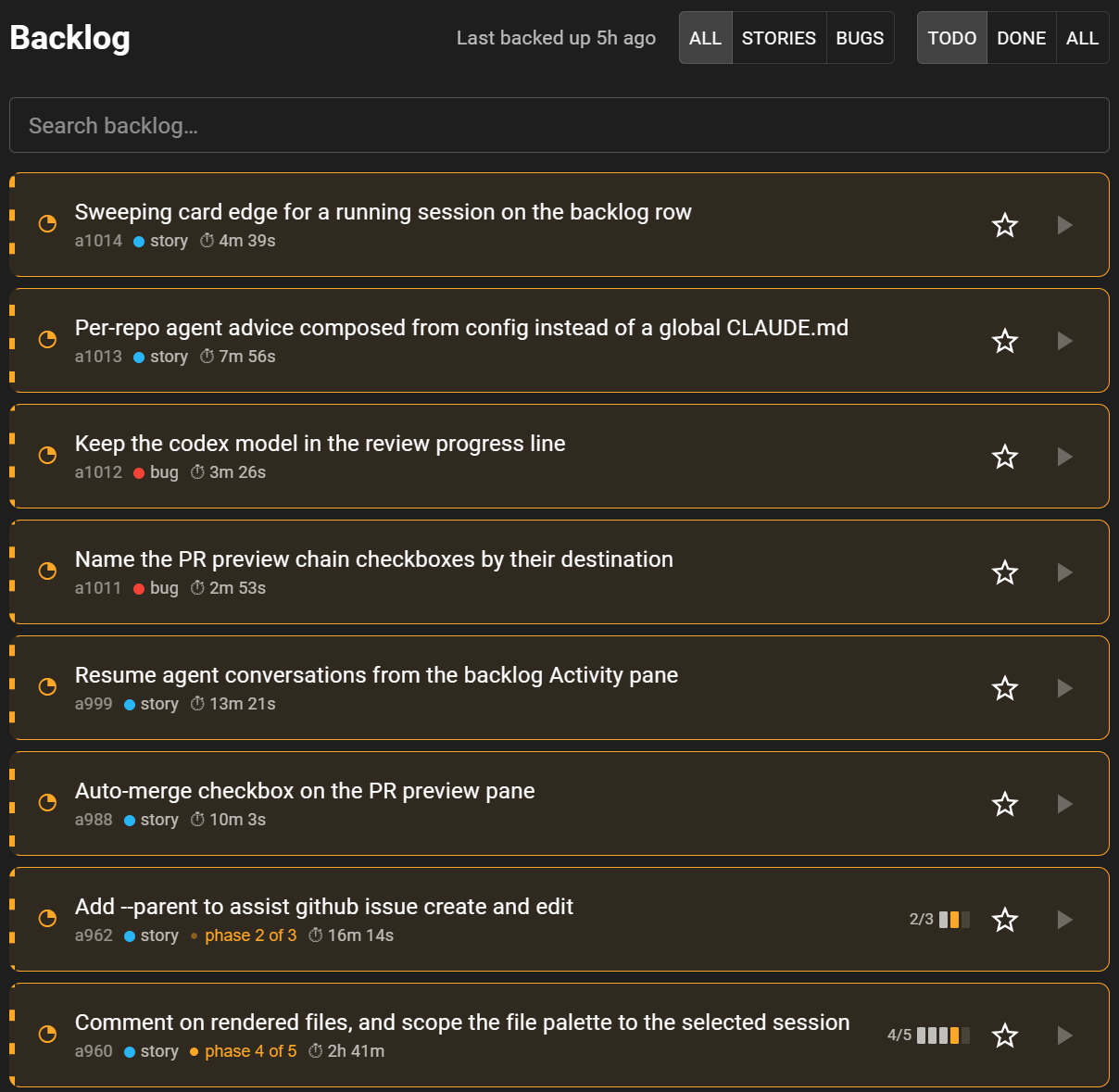
Backlog items currently in progress across multiple worktrees