
Config
Every assist setting is a config key, such as commit.push or next.repos. Change them on the Config page, opened from the cog in the toolbar (⌥AltW), or with assist config set.
Scopes
Section titled “Scopes”A key can be set in four places. The first word says which repos a scope covers and the bracket says where it is stored. For the selected repo, the most specific one wins:
| Scope | Where it’s stored | Applies to |
|---|---|---|
| repo (git) | assist.yml or .claude/assist.yml in the repo |
Everyone working in the repo, once committed |
| repo (db) | The assist database | The repo, on every machine sharing the database |
| user (node) | ~/.assist.yml |
Every repo on this machine |
| user (db) | The assist database | Every repo on every machine sharing the database |
Each scope beats the ones below it. Lists such as advice.rules and deny instead combine the entries from every scope, user (db) entries first. A key set nowhere uses its default.
Use repo (db) for personal settings you want in one repo on all your machines without committing them, such as turning on worktrees. Use user (db) for settings that follow you to every repo on every machine, such as a branch prefix, and user (node) for settings that belong to one machine, such as its node name. The database connection itself (database.*) can only be set in user (node).
The Config page
Section titled “The Config page”The page shows the effective config for the repo selected in the toolbar, with keys grouped by their first segment (commit, next, sessions and so on).
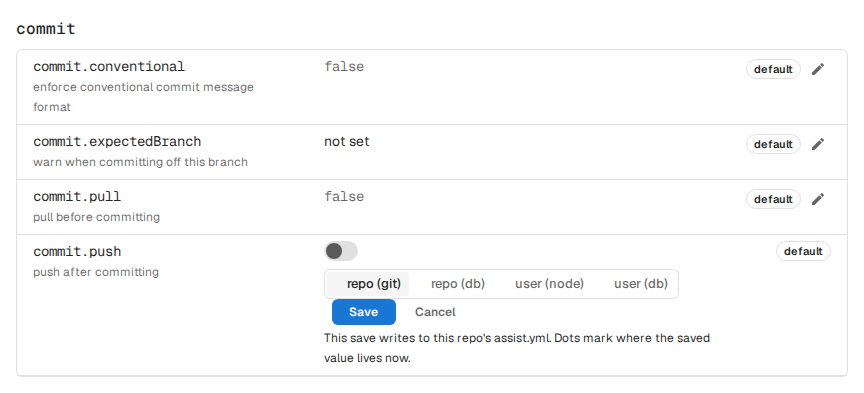
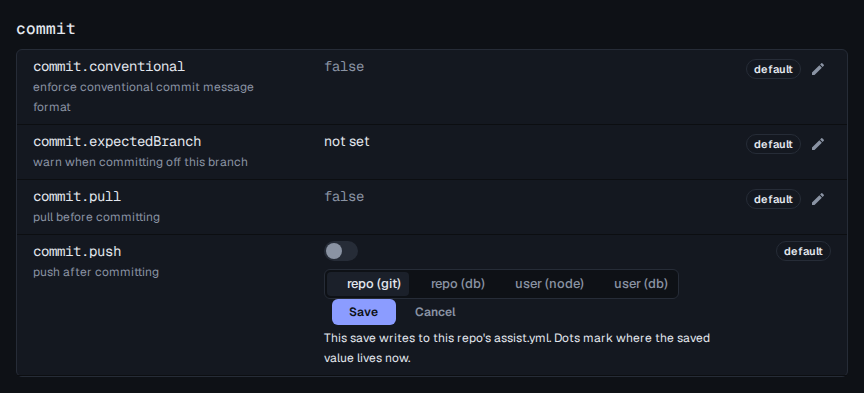
- Type in Search to narrow the list by key or description. Other pages link here with the search filled in, such as Next settings on Next.
- Each key shows a chip naming where its value comes from:
repo (git),repo (db),user (node),user (db)ordefault. Hover the chip to see the file or override it was read from. - Press the pencil to edit a key. Pick a scope with repo (git), repo (db), user (node) or user (db), then Save. A dot marks the scopes that already hold a value.
- Clear removes the key from the chosen scope, so the next scope down applies again.
- Lists of entries, such as
runordeny, are edited in place: add, duplicate, reorder or remove entries from each row’s buttons.
Keys marked read-only are set by a dedicated command, shown under the key.
From the CLI
Section titled “From the CLI”assist config set <key> <value> writes a key to repo (git), the repo’s assist.yml. Add --repo to write it to repo (db), --node for user (node) or --user for user (db). --repo <name> targets another repo.
assist config set commit.push trueassist config set worktree.enabled true --repoassist config set sessions.nodeName work-laptop --nodeassist config set branch.prefix sw --userLists take comma-separated values, and nested keys can address one entry by index, such as forbiddenStrings.0.disallowed. assist config unset <key> removes a key, with the same --repo, --node and --user flags.
Other docs pages write examples without scope flags. Add --repo, --node or --user to any of them to set the key in another scope.
To read config or list every key from a terminal, see assist config.