
Next
The Next tab (⌥Alt3) gathers what’s waiting on you on GitHub for the selected repo: pull requests to review, your own open pull requests, issues assigned to you and project items ready to pick up. It reads them with the GitHub CLI, so gh must be signed in.
The page
Section titled “The page”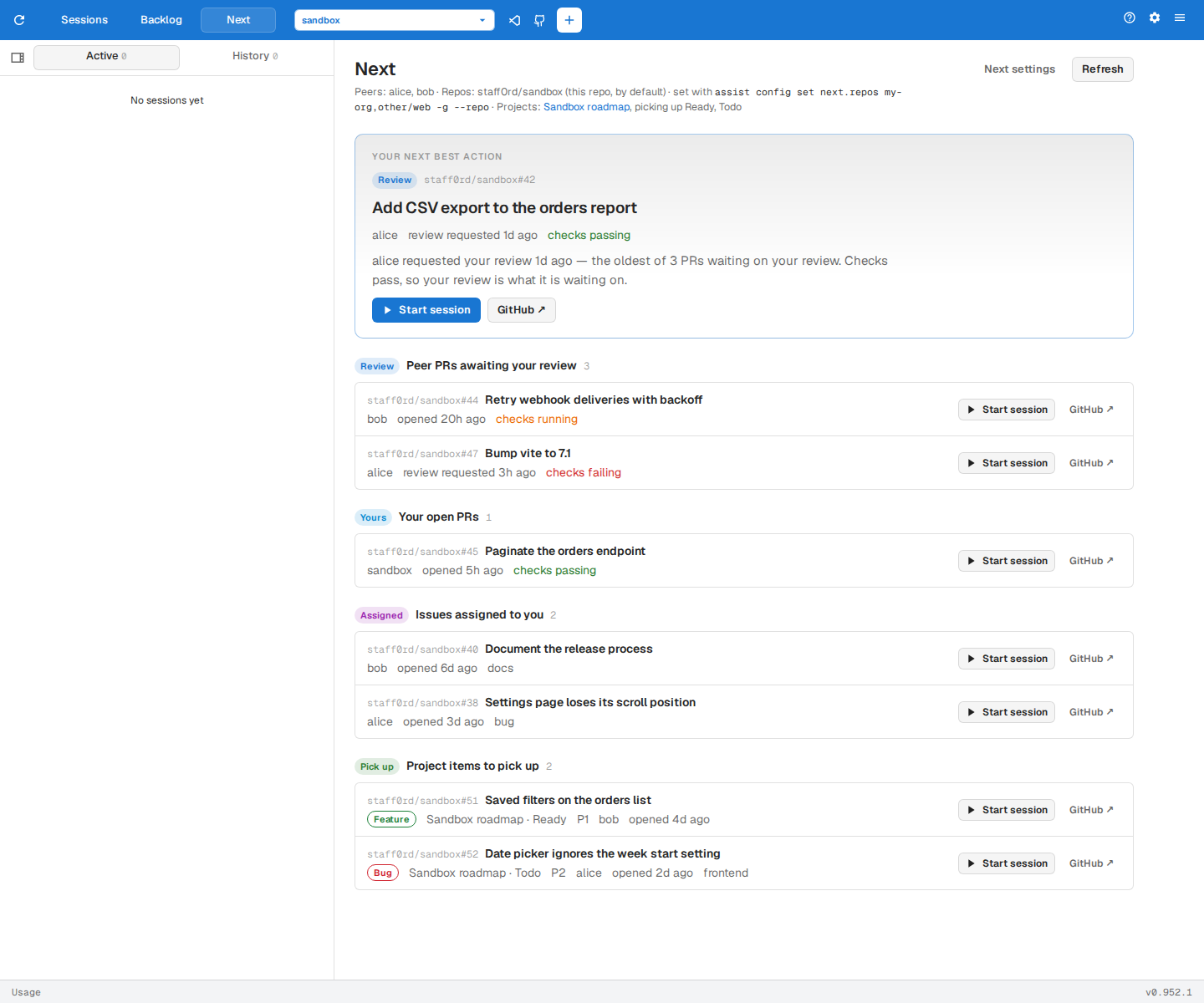
Your next best action at the top is the item to deal with first, with the reason it was chosen. The rest are grouped below:
- Review — pull requests waiting on your review.
- Yours — your own open pull requests.
- Assigned — open issues assigned to you.
- Pick up — unassigned items on your GitHub Projects that are ready to start.
Refresh reads GitHub again, and Next settings opens the Config page at the next settings.
Acting on an item
Section titled “Acting on an item”- Session buttons jump to sessions already working on the item.
- Start session starts work on it in your local clone of its repo:
- On a pull request, it opens the review dialog. Pick a review mode, or check the pull request out, address its comments or fix its conflicts. See Reviewing pull requests.
- On an assigned issue, it opens the new-session dialog with the issue filled in.
- On a project item, it assigns the issue to you, moves it to In Progress on its project, then opens the new-session dialog with the issue filled in.
- GitHub opens the item on GitHub.
Choosing what’s listed
Section titled “Choosing what’s listed”next.repos sets the repos whose pull requests and issues are listed. Name a repo as owner/name, or a bare owner for all of its repos. It defaults to the selected repo.
assist config set next.repos my-org,other-org/webWithout next.peers, Review lists only pull requests that request your review. Add teammates to next.peers to also list their open pull requests until you approve them.
assist config set next.peers alice,bobnext.projects names the GitHub Projects that Pick up reads, as owner/number from each project’s URL. Reading projects needs the project scope on your gh token:
assist config set next.projects my-org/3,my-org/5gh auth refresh -h github.com -s projectNarrow which project items are offered:
assist config set next.pickStatuses Ready,Todoassist config set next.excludeLabels blocked,spikeassist config set next.excludeTypes Epicnext.pickStatuses lists the project Status values an item must have, and defaults to Ready and Todo. next.excludeLabels and next.excludeTypes skip items with those labels or issue types.