
Run commands
Run commands are a repo’s named commands, such as its dev server, build or tests. Name them once and anyone, or any agent, runs them the same way with assist run <name>, and the dashboard’s run menu starts the dev servers among them as run sessions beside the agents using them.
Adding a command
Section titled “Adding a command”Run /add-command in a session and describe the command. The agent picks the right options and checks the command works.
Or add it yourself with assist run add <name> <command> [args...]:
assist run add dev npm run dev --cwd web --env PORT=3000 --server --port 3000assist run add build tsc -p .assist run add also creates a slash command, .claude/commands/<name>.md, so you or an agent can run it in a session with /<name> [args...], such as /build. With --repo, no slash command is created.
The command is started without a shell, so FOO=bar cmd, &&, pipes and redirects don’t work. Use the options instead:
| Option | Effect |
|---|---|
--cwd <dir> |
Working directory, relative to the config file |
--env KEY=VALUE |
Sets an environment variable. Repeatable |
--pre <command> |
Runs a shell command first. Repeatable, run in order |
--server [group] |
Marks it as a dev server |
--port <port> |
The dev server’s port, linked from its banner |
--param <spec> |
Adds a positional parameter. See below. Repeatable |
--filter <glob> |
For a verify: command, only runs it when a changed file matches. See Verify |
--quiet |
Hides the output unless the command fails |
--repo [name] |
Stores it in repo (db) in the database instead of assist.yml. See Config |
Put options after <command>. To pass one of these flags to the command itself, quote the whole command: assist run add build "pnpm --filter web build".
Parameters
Section titled “Parameters”Each --param fills the next argument given to assist run:
<name>is optional and left out when not given.<name>!is required.<name>=<default>uses the default when not given.
assist run add deploy ./deploy.sh --param env! --param tag=latestassist run deploy prodThis runs ./deploy.sh prod latest. To describe a parameter in assist run deploy --help, add a description to it in assist.yml.
Running a command
Section titled “Running a command”Run any command from a terminal with assist run <name> [args...], or in a session with /<name> [args...]. Extra arguments fill its parameters, then pass on to the command.
Dev servers
Section titled “Dev servers”Add --server to a command that runs a dev server, and --port with the port it listens on:
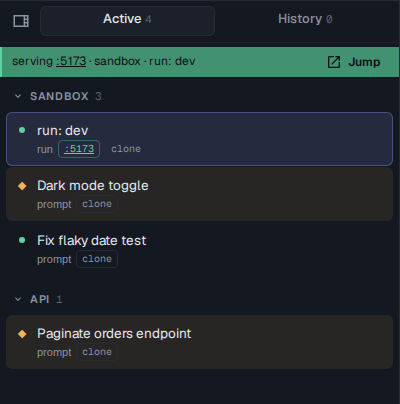
assist run add dev npm run dev --server --port 5173Start it from the toolbar’s run menu, or from the start button named after it at the top of any session in the repo. It runs as a run session, and while it’s up a serving banner sits at the top of the session list with its repo, its name and a link to its port, and its card shows the same link. Jump opens its session.
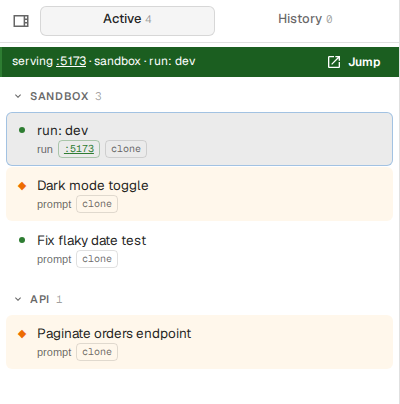
Only one dev server runs at a time across a repo’s clone and all its worktrees, as they’d fight over the same port. To switch which worktree you’re serving, press the start button in a session in that worktree and confirm replacing the running server. This lets you try each agent’s work in the browser in turn.
Servers that use different ports can run side by side when you give each its own group:
assist run add api dotnet run --server api --port 5000assist run add web npm run dev --server web --port 5173Each group holds one running server, so api and web each get their own banner.
To list, remove or share commands, see assist run.