
Linked machines
Each assist install is a node, with its own daemon, web server, sessions and repos. When one node links to another, its dashboard shows the other node’s sessions alongside its own, and you can start, watch and drive sessions on either machine from one browser tab. To link nodes, ask an agent to link them.
A link works in one direction. To see both machines from either machine’s dashboard, link each one to the other.
Naming a node
Section titled “Naming a node”A node’s name labels its sessions on every machine that links to it. It defaults to the machine’s hostname, with -wsl added under WSL. To change it:
assist config set sessions.nodeName laptopA link must use the peer’s node name, so if you rename a node, re-link it on every machine that links to it.
Picking a machine
Section titled “Picking a machine”Once a link exists, the toolbar shows a Machine picker. The machine you pick is the one the toolbar’s PR and run menus, the history list, and views like Backlog and Config work against. Each entry shows the link’s state, the peer’s version and a behind chip when that machine runs an older assist.
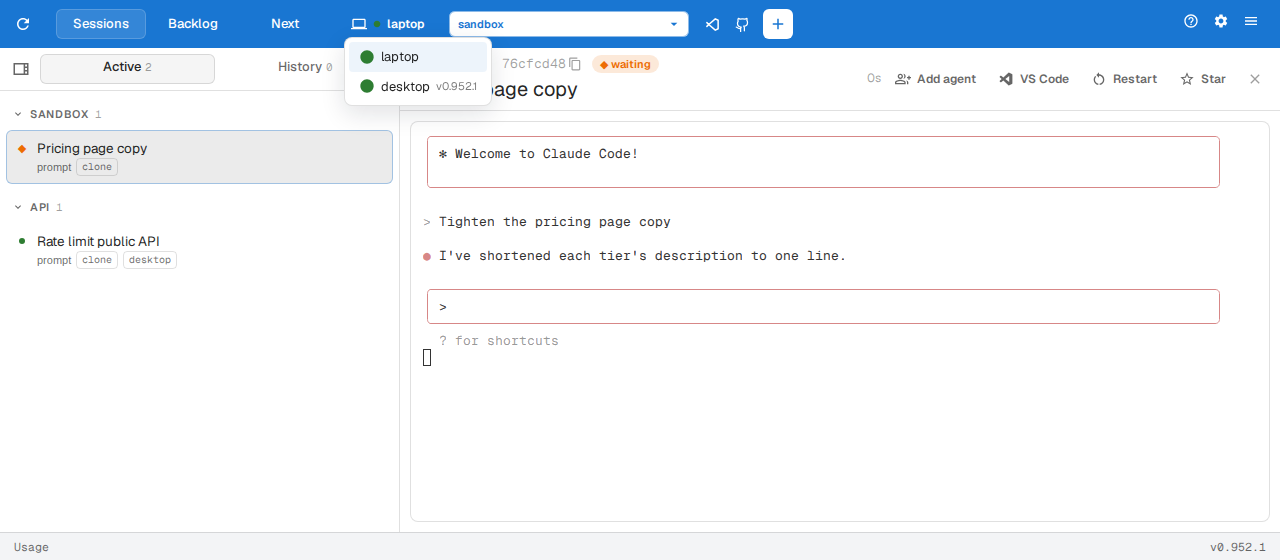
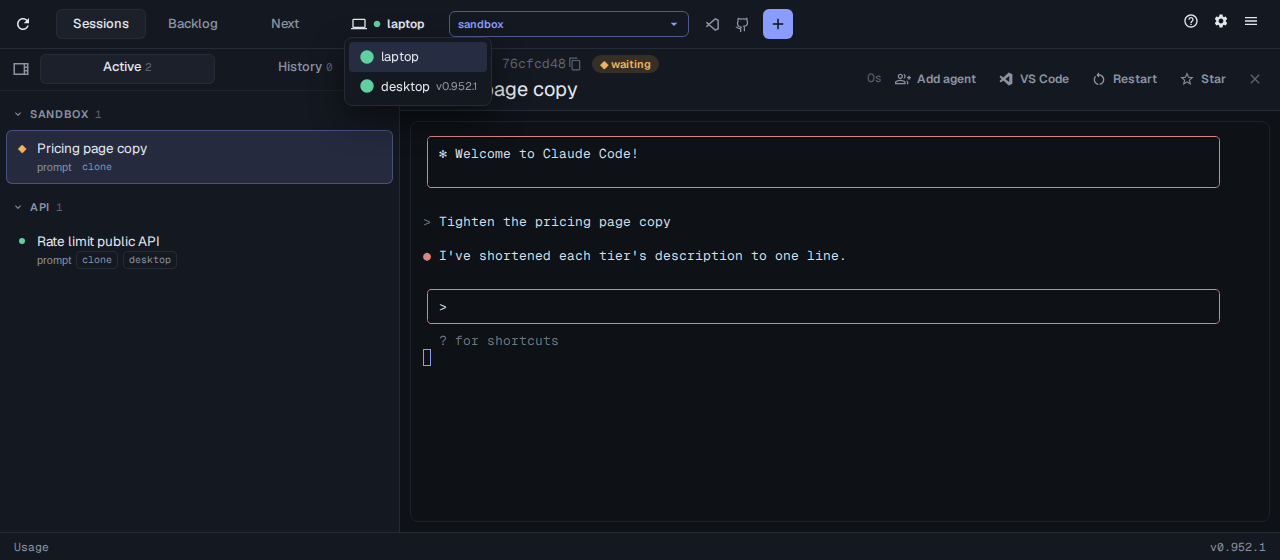
The New session dialog has its own Machine choice for where the session runs. Cards for sessions on a linked machine carry a laptop badge.
Restarting and updating a linked machine
Section titled “Restarting and updating a linked machine”With a linked machine picked, the dashboard menu’s Restart and Update assist items act on that machine, and its row on the Updates panel has the same actions.
Linking over Tailscale
Section titled “Linking over Tailscale”To link machines over Tailscale, turn on MagicDNS and HTTPS certificates in your tailnet’s admin console. Each web server then makes its port available on the tailnet when it starts. To keep a machine off the tailnet:
assist config set sessions.tailscaleServe falseMismatched versions
Section titled “Mismatched versions”When two linked machines’ assist versions are too far apart to talk to each other, the link stays blocked until you update the older one. To connect anyway, set warn. To skip the check entirely, set off:
assist config set sessions.linkVersionCheck warn